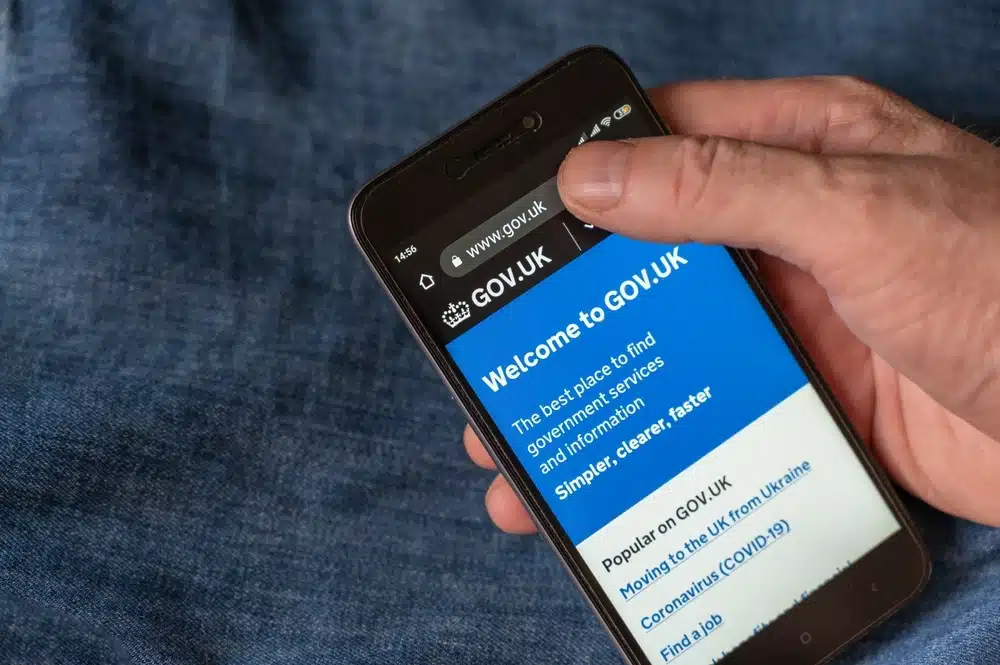

- A Government Gateway user ID can contain up to 12 characters. It is separate from your email address, National Insurance number and UTR.
- HMRC provides personal, business and agent accounts, while some specialist services use separate sign-in routes.
- Lost sign-in details can be recovered or reset through HMRC’s online sign-in process. An account locked after too many failed attempts unlocks after two hours.
- Companies House WebFiling has required GOV.UK One Login since 13 October 2025.
What is a Government Gateway User ID?
A Government Gateway user ID is a sign-in credential of up to 12 characters that is used with a password to access HMRC services connected to the account.
This ID is essential for:
- Individuals: To access your personal tax account, view tax-free allowances, and manage tasks like Self Assessment for the current tax year.
- Businesses: To handle VAT, Corporation Tax, or check details on a business tax account, depending on your type of account.
- Tax Agents: To efficiently manage multiple clients’ tax affairs across HMRC’s digital services.
Your Government Gateway user ID and password let you access HMRC services connected to that account. HMRC can also ask you to enter an access code or confirm your identity during sign-in or registration. GOV.UK One Login uses its own sign-in and identity-checking processes.
What is a Government Gateway Account Used For?
With one Government Gateway user ID you can:
- File and pay Self Assessment
- Register for and submit VAT returns (Making Tax Digital)
- Run PAYE and submit payroll
- File Corporation Tax
- Check your National Insurance record and State Pension
- And view your tax account, refunds and HMRC letters.
Gateway is only the front door. HMRC expects the VAT records behind those returns to be kept digitally in software that connects to its systems, which is what cloud bookkeeping tools such as Xero are for.
Which HMRC sign-in details should you use?
| HMRC service | Sign-in details | Official GOV.UK page |
|---|---|---|
| Self Assessment | Either: Government Gateway or GOV.UK One Login | File your Self Assessment tax return |
| Corporation Tax | Government Gateway user ID | Add Corporation Tax services |
| VAT | Government Gateway user ID | Sign in to your VAT account |
| PAYE for employers | Government Gateway user ID | PAYE Online for employers |
| Personal tax account | Either: Government Gateway or GOV.UK One Login | Personal tax account |
If you already use HMRC online services, continue with your existing sign-in details. Only use GOV.UK One Login for HMRC if it has been set up for HMRC services. If you are new, select ‘Create new sign in details’ and follow HMRC’s instructions.
How to Find Your Government Gateway User ID?
Your Government Gateway user ID can contain up to 12 characters and is separate from your email address, National Insurance number and UTR. To find it:
- Check the confirmation email HMRC sent when you registered. Your user ID is in that email.
- Look at any earlier HMRC letters or your saved sign-in details.
- If you cannot find it, start to sign in to HMRC online services and follow the lost user ID route – HMRC tells you what it needs to recover or reset your details.
What You Need Before You Register?
Before starting, have:
- An email address you can access
- Your existing Government Gateway or GOV.UK One Login details, if you already use HMRC online services
- Access to a phone or authenticator app if the service asks you to set up or enter security codes
- Any service-specific information requested, such as your National Insurance number, UTR, VAT number or PAYE reference
How to Set Up a Government Gateway Account (5 Simple Steps)?
The correct setup route depends on whether you already use HMRC online services and which service you need.
- Open the official HMRC sign-in page and select “Sign in”.
- If you already use HMRC online services, enter your existing Government Gateway or GOV.UK One Login details. Do not create replacement credentials.
- If you have never used HMRC online services, select “Create new sign in details”.
- Follow the route provided by HMRC. If you have never used HMRC online services, select ‘Create new sign in details’. The service guides you to create either Government Gateway or GOV.UK One Login details – HMRC says customers without existing sign-in details are among the first to be moved to One Login. Other users are directed to the correct sign-in system for the service they need.
- Create the requested credentials, save them securely and complete any additional registration or enrolment steps shown by the service.
If HMRC directs you to create a Government Gateway account, choose the account type that matches how you will use it.
Individual, Organisation or Agent: Which Account Type to Choose
- Individual – personal tax, Self Assessment and your Personal Tax Account
- Organisation – a limited company, partnership or charity managing VAT, PAYE and Corporation Tax
- Agent – accountants or bookkeepers acting for clients
Choose Organisation for a limited company; most sole traders choose Individual.
How to Recover a Lost Government Gateway User ID or Password?
If you’ve lost your Government Gateway credentials, don’t worry. Use one of these methods to recover them:
-
Search your emails
When you set up your Government Gateway account, your user ID was sent to your registered email address. Search your email inbox (and any folders, including spam) using the keyword “Government Gateway user ID.” If you haven’t deleted the confirmation email, you can locate your user ID there.
-
Use HMRC’s ‘Problem Signing In’ page
- Open the official HMRC sign-in page and select “Sign in”.
- Choose the recovery option for a lost Government Gateway user ID or password.
- Follow the instructions provided. HMRC will tell you what information is needed to recover or reset your details.
- If you cannot receive an access code, sign in with your user ID and password, select “You can get help” when asked for the code, and follow the recovery steps.
-
Get Further Help From HMRC
If the online recovery process does not solve the problem:
- Use HMRC’s digital assistant for help with HMRC online services.
- Ask to be transferred to webchat if the digital assistant cannot help and an adviser is available.
- Use HMRC’s service-specific support for VAT or other technical problems.
- Contact the GOV.UK One Login support team if the problem concerns One Login credentials rather than Government Gateway.
Government Gateway vs GOV.UK One Login: What’s Changing
| Feature | Government Gateway | GOV.UK One Login |
|---|---|---|
| What it is | An HMRC sign-in system that remains active during the transition | A cross-government sign-in system gradually replacing older routes |
| Sign-in details | User ID of up to 12 characters and a password | Email address, password and security code |
| HMRC use in 2026 | Used by existing customers and services that still direct users to Gateway | Used by customers without existing HMRC sign-in details, who are being moved to One Login first |
| Companies House WebFiling | No longer used to access WebFiling | Required to access WebFiling since 13 October 2025 |
| Account recovery | Recover or reset details through HMRC’s sign-in process | Reset your password or security method through GOV.UK One Login |
| What to do now | Continue using your existing details until HMRC contacts you | Create or use One Login when the government service directs you |
If you already use Government Gateway for HMRC, continue using it even if you have GOV.UK One Login for another government service. If you have never used HMRC online services, select “Create new sign in details” and follow the route provided.
Four HMRC Online Tax Services on Government Gateway You Must Enrol in After Forming a Limited Company
Through your Government Gateway business account, you can manage essential tax-related tasks:
- Register for Self Assessment if you were self-employed as a sole trader and earned more than £1,000, or if you have untaxed income such as dividends to report. Being a company director is not by itself a reason to file.
- Register for VAT if your taxable turnover for the last 12 months goes over the £90,000 VAT registration threshold, or you expect it to in the next 30 days. The threshold has been £90,000 since April 2024 and is unchanged for 2026/27. If you would rather not fill in the HMRC application yourself, our online VAT registration service prepares and submits it for £60 + VAT.
- Register for PAYE if any employee is paid £96 or more a week, gets expenses or company benefits, receives a pension, has had another job, or has received Jobseeker’s Allowance, ESA or Incapacity Benefit. If none of those apply, you do not have to register, but you must still keep payroll records.
- Add Corporation Tax services for limited companies or other entities liable for this tax.
These tools are essential for efficient financial management and compliance with UK tax regulations.
Use Your Personal Tax Account to Check Income Tax, Claim Refunds, and Manage Benefits
For your personal service account, you can:
- Check your Income Tax estimate and tax code.
- Fill in, send, and view a personal tax return.
- Claim a tax refund.
- Check your Child Benefit, income from work (last 5 years), and Income Tax paid (last 5 years).
- Check your State Pension.
- Check if you’ll benefit from and can pay voluntary National Insurance contributions.
- Track submitted tax forms, check/update Marriage Allowance, and tell HMRC about name/address changes.
- Check/update work benefits (company car, medical insurance).
- Find your National Insurance number and Unique Taxpayer Reference (UTR) number.
- Check your Simple Assessment tax bill.
Add a Tax Service to Your Account by Linking Your VAT Number, UTR, or Employer Reference
To manage a tax, duty, or scheme, go to the HMRC login page and sign in. Once logged in, navigate to the ‘Business Tax Summary’ page and select ‘Add a tax, duty, or scheme.’ You will see two options:
-
Option 1: You are already registered for the tax (e.g., registered elsewhere but haven’t linked it to your Gateway account). You will need specific details: The service asks for the references on your HMRC registration letters – the screens look like this at the time of writing. For PAYE, the employer PAYE reference and Accounts Office reference.
- VAT: VAT Number, Principal Place of Business postcode, Date of VAT registration, Final month of last VAT return submitted, and Amount paid to HMRC.
- Corporation Tax: Your company registration number, the date you started doing business, the date your first accounts are made up to, and the company’s 10-digit UTR.
- CIS/PAYE: Employer Reference, Accounts Office Reference.
- Self-Assessment: Personal Unique Taxpayer Reference (UTR), Postcode, National Insurance Number.
- Note on Activation Codes: After signing up for a service, HMRC often sends an activation code by post to your registered office within 10 days. You must activate the service within 28 days, as the code will expire. Request a new code if it expires.
-
Option 2: You have not yet registered for the tax.
Select ‘I want to tell HMRC that I am in business and need to register for a new tax or that the company is now active.’ Follow the on-screen prompts through sections like ‘What types of business can use this service,’ ‘Types of business that cannot use this service,’ and ‘What to do next.’ Once completed, you can register for VAT, PAYE/CIS, Corporation Tax, or Self Assessment. In some cases, HMRC may request identity verification (e.g., driving licence, mobile phone).
What Happens If Your Government Gateway Account Is Locked?
If you enter incorrect sign-in details too many times, HMRC will temporarily lock your Government Gateway account. It will unlock automatically after two hours, and HMRC helpdesk advisers cannot unlock it earlier.
Once the account unlocks, use HMRC’s recovery process if you are unsure of your user ID or password rather than making further unsuccessful attempts.
If you use your Government Gateway account to file VAT, PAYE or Self Assessment for your own business, keep the records behind those filings in accounting software rather than rebuilding them from receipts each quarter.
| Xero | Do it yourself with HMRC’s tools | |
|---|---|---|
| Cost to start | 30-day free trial, plus Xero’s referral offer for new customers, shown on the sign-up page. No promo code needed. | Free. Registering for and using HMRC online services costs nothing, and HMRC’s Basic PAYE Tools is free payroll software. |
| Your HMRC filings | Bookkeeping, invoicing and bank-synced reporting in one place. Listed by HMRC as Making Tax Digital software for VAT. | You keep the digital VAT records yourself in software or spreadsheets that connect to HMRC’s systems. |
| Payroll | Calculates wages, tracks leave and handles the payroll filings. | Basic PAYE Tools covers most payroll tasks, but only for businesses with fewer than 10 employees. |
| Time to get going | Sign up online through our link; the trial starts straight away. | Enrolling a tax service is not instant: HMRC posts an activation code within 10 days and you must use it within 28 days. |
| Working with an accountant | Share access with your accountant or bookkeeper in the cloud. | You can hire help, but directors stay legally responsible for the company’s records and accounts. |
| Claim Your Xero Offer |
Frequently Asked Questions on Government Gateway
Is Government Gateway the same as my Personal Tax Account?
No. Government Gateway is a secure sign-in service, while your Personal Tax Account is an HMRC service for managing your tax records, income and National Insurance information. You can access it using a Government Gateway user ID or, if eligible, GOV.UK One Login details.
Do I need a separate Government Gateway ID for each business?
Each company enrols for its own taxes with its own UTR and references. HMRC does not publish a rule that you need a separate Government Gateway user ID per company.
Do I need to switch from Government Gateway to GOV.UK One Login right now?
If you already use Government Gateway for HMRC, continue using your existing credentials. HMRC says existing users do not need to take action and will be contacted when they need to switch.
Can I still use my Government Gateway ID if GOV.UK One Login is available?
Yes. Continue using your Government Gateway details for HMRC services already connected to that account, even if you have GOV.UK One Login for Companies House or another government service.
I created a GOV.UK One Login for Companies House. Should I use it for HMRC?
Continue using your existing Government Gateway details for HMRC until HMRC contacts you. Having GOV.UK One Login for Companies House or another service does not replace the credentials currently connected to your HMRC account.
Will HMRC transfer my enrolled tax services automatically?
HMRC has not published the process for transferring services enrolled under existing Government Gateway accounts. Continue using your current credentials and follow the instructions HMRC provides when your account is ready to move.
Where do I find my Government Gateway user ID?
Your Government Gateway user ID can contain up to 12 characters and was sent to the email address used to create the account. If you cannot find it, use HMRC’s online sign-in recovery process and follow the instructions provided.
Is the Government Gateway the same as GOV.UK One Login?
No. Government Gateway uses a user ID of up to 12 characters and a password, while GOV.UK One Login uses an email address and password. If you have never used HMRC online services, select ‘Create new sign in details’. The service guides you to create either Government Gateway or GOV.UK One Login details – HMRC says customers without existing sign-in details are among the first to be moved to One Login. Existing Gateway users continue with their current credentials until HMRC contacts them.
Why will my Government Gateway not let me log in?
Common causes include incorrect sign-in details, a two-hour lockout after too many failed attempts, problems receiving an access code, or temporary service issues. Use HMRC’s sign-in help and check whether the service is experiencing problems.
How much does a Government Gateway account cost?
Nothing – registering and using HMRC online services is free.





Please confirm that my return has been received
I can’t wait for a single access system to pay the different taxes – having an account for each tax type is really very unreliable – I paid CGT last week and this week need to pay another CGT bill but the same account that I accessed last week says that I don’t have any taxes added to this account. I have 2 days to get this paid, but really it’s a nightmare.
I am retired and now have a gateway account.
I only wish to send my OAP private pension and annual interest
Is this possible and how do I find appropriate place
Hope you can help ?
I am struggling to sign in my GW I have my GW use ID & created a new password.
Each time I try to login it gives me a code but it doesn’t show me where to put the code in.
As I’ve tried so many times I’m not sure if it’s been frozen
Previously I was able to fill in apart of a form.
Appreciate all the help you can give as I’m very confused.
Many thanks
Hope you can help I’m struggling to access my account through my gateway account
I have my gateway account number also created a new password.
My question is each time I login it gives a code but it doesn’t tell me where to enter the code
I would appreciate it very much if you can help as I’m not understanding what to do
Thanks for the article! This explanation on government gateway is helpful for my own small business accounting UK.