
As a result of these legislative changes, Companies House can now actively query, investigate, and reject filings, demanding supporting evidence when information appears incorrect. This article explains how the GOV.UK One Login migration works, and its implications on the Companies House authentication code, identity verification and ACSP registration requirements, and outlines precisely what these comprehensive transparency reforms mean for company directors and accountants.
- From 13 October 2025, shared access to the Companies House WebFiling account will no longer be an option.
- Create an individual GOV.UK One Login using a unique email address for every person who files company documents, including directors, accountants, and authorised officers.
- Linking a legacy WebFiling account to a single GOV.UK One Login immediately revokes access for all previously shared users.
- Keep the company’s existing authentication code secure. You can use it to gain WebFiling access for the company, although someone who already has access can also digitally authorise another person to file.
What Does Companies House WebFiling Do?
Companies House WebFiling service is the free online filing portal that enables the digital filing of most statutory documents for limited companies and LLPs. It is used for routine company secretarial tasks, such as submitting confirmation statements, annual accounts, share allotments, and changing company details, such as registered office addresses. The service processes forms within approximately 24 hours, making it significantly faster and cheaper than paper methods.
However, the WebFiling service’s access point has fundamentally changed, even though the underlying filing platform remains. Companies must now use GOV.UK One Login to access WebFiling, except when filing a charge (mortgage) document without connecting the account to GOV.UK One Login.
WebFiling can be used by company numbers containing only digits. It can also be used by limited companies with NI, RO or SC prefixes and LLPs with OC, SO or NC prefixes.
Some WebFiling functions have separate system limits. For example, a WebFiling confirmation statement cannot be used by companies with 1,000 or more individual or joint shareholders, companies required to submit lists of subsidiary and associated undertakings, or companies with certain complex share-capital details.
How Your Company Authentication Code Works (And Why It’s Not Going Away)
A company authentication code serves as the company’s digital signature for online filing. This six-character alphanumeric code authorises information filed with Companies House. In WebFiling, you can gain access either by entering the company’s authentication code or by being digitally authorised by someone who already has access.
Whenever a new company is incorporated, the authentication code is sent by post to the company’s registered office. Companies House advises allowing up to 10 working days for delivery. The code is not sent by email, and it can be sent to an active officer’s home address if the registered office cannot be accessed.
If you lose your code, sign in to WebFiling and select ‘Your companies’ or ‘File for a company’. Enter the company details, select ‘Help with authentication code’, then ‘I do not have an authentication code’. Companies House will send the code by post to the registered office or, where applicable, an active officer’s home address. Allow up to 10 working days for delivery.
One login security requirements
The migration to GOV.UK One Login changes how people sign in to WebFiling, but it does not make the company authentication code personal to an individual. The authentication code is issued to the company and remains separate from both GOV.UK One Login credentials and the Companies House personal code used for identity verification. WebFiling access can be gained using the company authentication code or through digital authorisation from someone who already has access.
If you formed your company through Your Company Formations, we will normally have an online manager facility that displays the code immediately after incorporation.
GOV.UK One Login Replaces Shared WebFiling Accounts From 13 October 2025
GOV.UK One Login provides access to multiple government services using one set of sign-in details, including Companies House WebFiling. It does not currently replace Government Gateway across all GOV.UK services, although the government plans for GOV.UK One Login to replace other sign-in methods over time. It also provides two-factor authentication and can be used to verify your identity for Companies House.
From 13 October 2025, you must connect your webfiling account to GOV.UK One Login to access webfiling. Afterwards, if you try to sign in to Companies House webfiling from 13 October onwards, the system redirects you to connect your account to GOV.UK One Login.
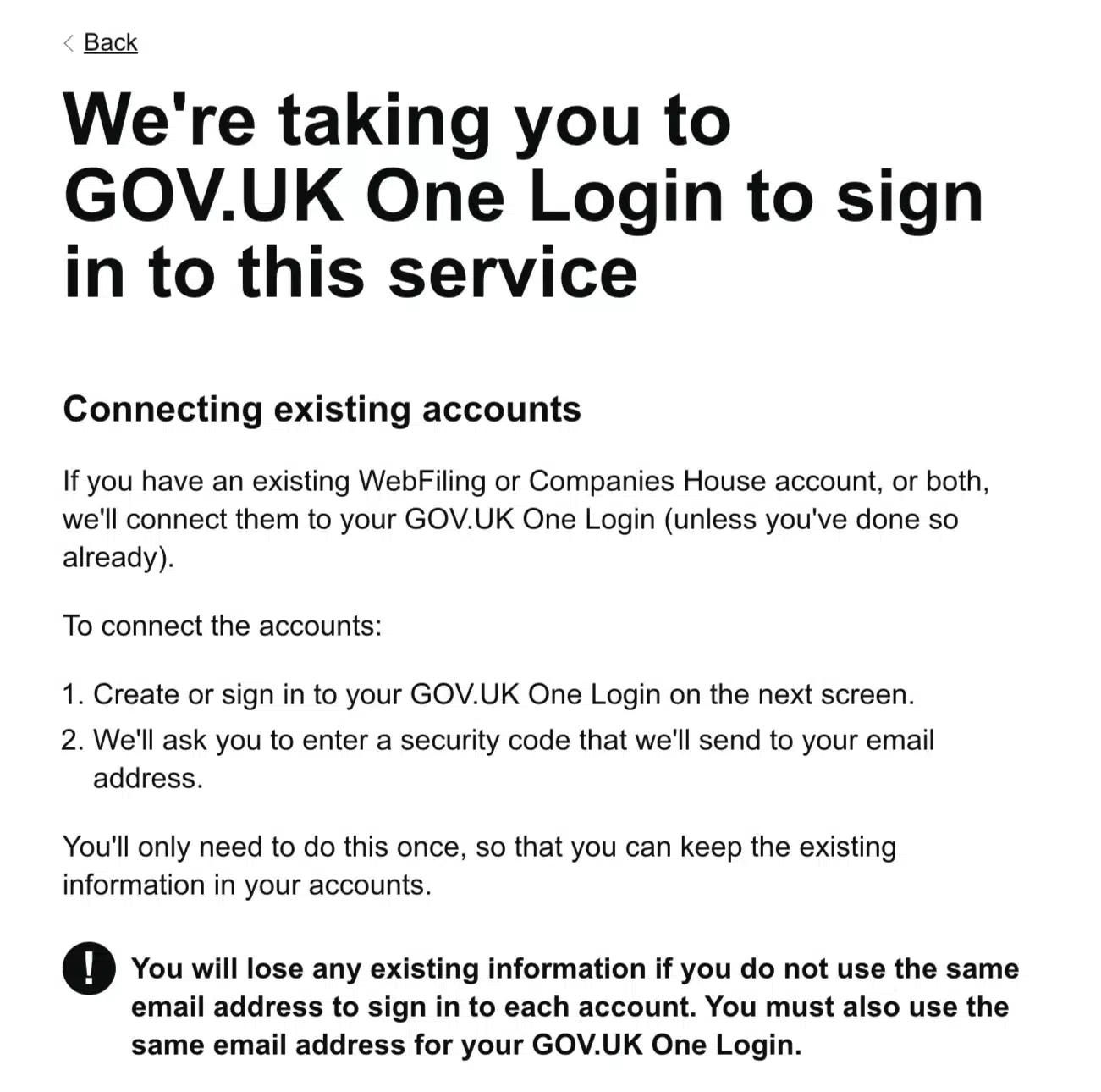
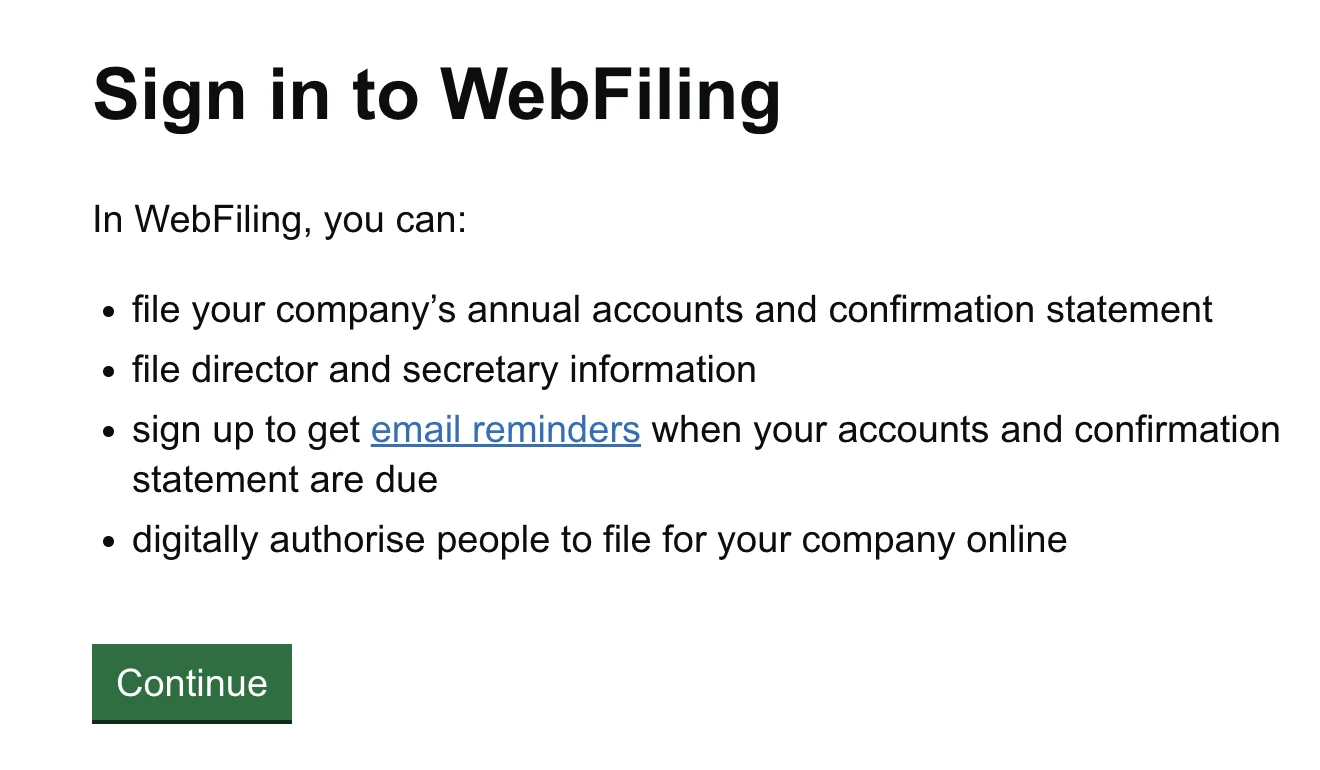
Users with existing GOV.UK One Login accounts sign in and connect immediately. Those without accounts receive prompts to create an account during the connection process.
Webfiling account sharing under One Login
Only one person can connect each webfiling account to their GOV.UK One Login; you can’t share your webfiling account with others anymore. Previously, accounting firms, company formation agencies, and corporate teams routinely shared single webfiling accounts. Multiple staff members accessed the same account to file for numerous client companies. From 13 October 2025, shared accounts became technically impossible.
Each team member now needs their own GOV.UK One Login account with a unique email address. Each person also needs access to the companies they file for, either by entering the relevant company authentication code or by receiving digital authorisation from someone who already has WebFiling access.
To create their own GOV.UK One Login, team members visit the sign-in page and select “create an account.” The process requires a unique email address, password creation, and setting up two-factor authentication via text message or an authenticator app. Once created, users must connect their new webfiling account to their personal GOV.UK One Login.
Under GOV.UK One Login, one person connects the original shared WebFiling account to their GOV.UK One Login, while the other team members must create their own GOV.UK One Login accounts. They do not automatically inherit the companies or information saved in the original account. For each client company, they can gain access either by entering the company’s existing authentication code or by receiving digital authorisation from someone who already has WebFiling access.
The practice must now manage separate WebFiling access across team members and track which individuals can file for which clients. Authentication codes should be kept secure, but a new code is not required for every team member because someone who already has WebFiling access can digitally authorise another person.
WebFiling One Login Access Example
You have five staff members serving 10 clients. One person connects the original shared WebFiling account to their GOV.UK One Login. The other four create their own GOV.UK One Login accounts and do not automatically inherit the companies or information saved in the original account.
For each client company, access can then be provided in either of two ways:
- Enter the company’s existing authentication code.
- Receive digital authorisation from someone who already has WebFiling access to that company.
You do not need to request a new authentication code for every team member. If a code does need to be requested by post, Companies House advises allowing up to 10 working days for delivery.
Identity Verification Became Mandatory on 18 November 2025
Identity verification became a legal requirement on 18 November 2025. New directors must verify to incorporate a company or be appointed to an existing company. Existing directors provide their personal code with the company’s next confirmation statement during the 12-month transition period.
PSC deadlines vary: new PSCs can provide their personal code when first added to the register or within 14 days, while existing PSCs have role-specific 14-day periods shown on the Companies House register.
How the WebFiling Migration Affects Accountants and Bookkeepers
Accountants and bookkeepers who file information for multiple client companies face greater administrative effort. Shared WebFiling accounts are no longer permitted. Each person who files must now have their own GOV.UK One Login and access to each relevant company, either by entering the company’s authentication code or by receiving digital authorisation from someone who already has WebFiling access.
Company Formation Agents
Company formation agents face similar restructuring. Previously, one shared account could manage hundreds of client companies. Now, every team member who files company information must have individual access.
For each client company, the authentication code can be used to gain WebFiling access. Team access can then be managed by allowing trusted staff to use the code or by digitally authorising people who need access. Authentication codes should be kept secure and shared only with trusted filers.
Formation agents who already store authentication codes in secure client portals have an advantage, as clients can retrieve their codes directly. However, each team member still needs their own GOV.UK One Login and individual authorisation for the companies they manage.
Company Secretarial Teams
Internal company secretaries managing subsidiaries or group structures must determine which employees need access to file documents. Each authorised person must have a unique email address to create their GOV.UK One Login.
You will also need to manage access across your company portfolio, either by allowing authorised staff to use the relevant company authentication code or by digitally authorising them through someone who already has WebFiling access.
Large groups with multiple subsidiaries need to manage WebFiling access separately for each entity. Staff can access a company by using its existing authentication code or by receiving digital authorisation from someone who already has WebFiling access. Shared WebFiling account credentials should no longer be used.
Software Users
Users filing through third-party software need the company authentication code and a Companies House presenter account, which provides a presenter ID and code. A Companies House credit account is also required when using software to submit documents that carry a filing fee.
Identity Verification and ACSP Registration: What Applies in 2026
The GOV.UK One Login migration sits alongside two separate Companies House reforms: mandatory identity verification, which began on 18 November 2025, and the phased introduction of Authorised Corporate Service Provider (ACSP) requirements. As of August 2026, agents that verify clients’ identities for Companies House must be registered as ACSPs, while the requirement covering all agents that file on behalf of clients is due no earlier than November 2026.
From 18 November 2025, new directors must verify their identity as part of incorporation or appointment, while existing directors provide their personal code with the company’s next confirmation statement. PSCs have specific 14-day periods depending on when they became a PSC and whether they are also a director.
After verification, Companies House issues an 11-character personal code distinct from your company authentication code and GOV.UK One Login credentials. This individual code is required when submitting filings that need verified identity confirmation.
ACSP registration is currently required for agents that verify clients’ identities for Companies House. The planned requirement for all agents filing on behalf of clients was postponed from spring 2026 and will begin no earlier than November 2026.
The registration fee is £63, paid once, and registrants must remain under supervision by UK Anti-Money Laundering regulatory bodies. From 8 April 2025, ACSPs can also provide identity verification services to clients, offering a potential new revenue stream.
This reform formalises the role of professional intermediaries and introduces direct oversight. Smaller practices that occasionally file company documents may find the compliance burden outweighs the benefits and could withdraw from the market.

Your email address will not be published. Required fields are marked *